How it works
How Remedy works, step by step
Remedy turns a short onboarding into a multi-week back fitness program, then hands you one session at a time. Here is exactly what happens.
1
Answer a few questions about your back
Onboarding takes a few minutes. A sample of the questions, some general and some specific:
- Where does it hurt?
- Upper back, lower back, or all over
- How active are you?
- Mostly sitting, lightly active, or strength training
- What makes it worse?
- One example: mornings, or after you have been resting
2
Get a program built from those answers
- Length. 4, 5, or 6 weeks, depending on how long your back has bothered you.
- Schedule. The days you chose, with a suggested number of sessions based on your activity level.
- Exercises. Picked for where it hurts, what makes it worse, and the equipment you have.
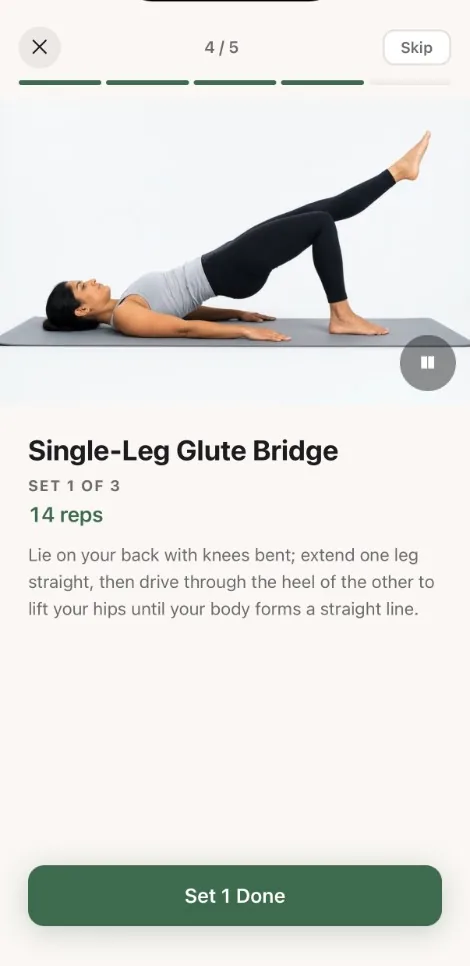
- Progression. Each week has an intensity target that rises across the program. When an exercise reaches 15 reps, a harder variant replaces it, like the glute bridge giving way to the single-leg bridge.
Personalization is rules from your answers. It is not a therapist reviewing your case and not camera-based form scoring.
3
Do today’s session
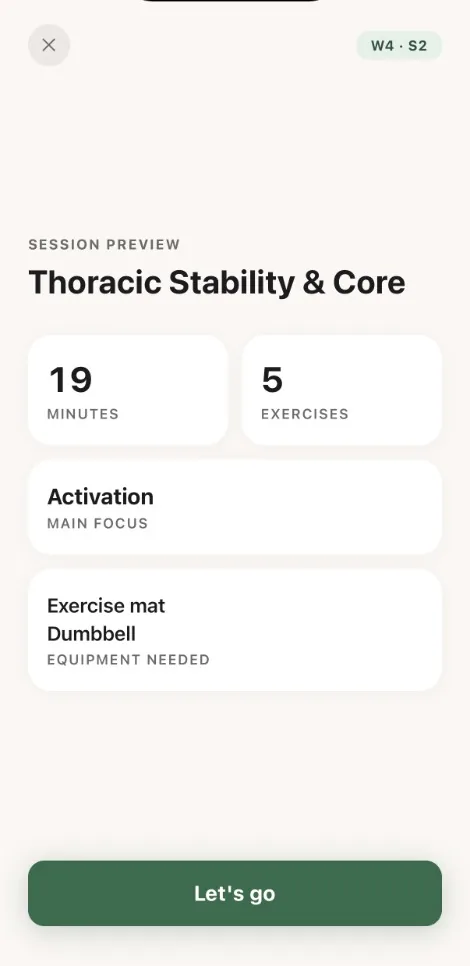
Each session opens with a preview: how long it takes, how many exercises, the main focus, and the equipment you need. Then:
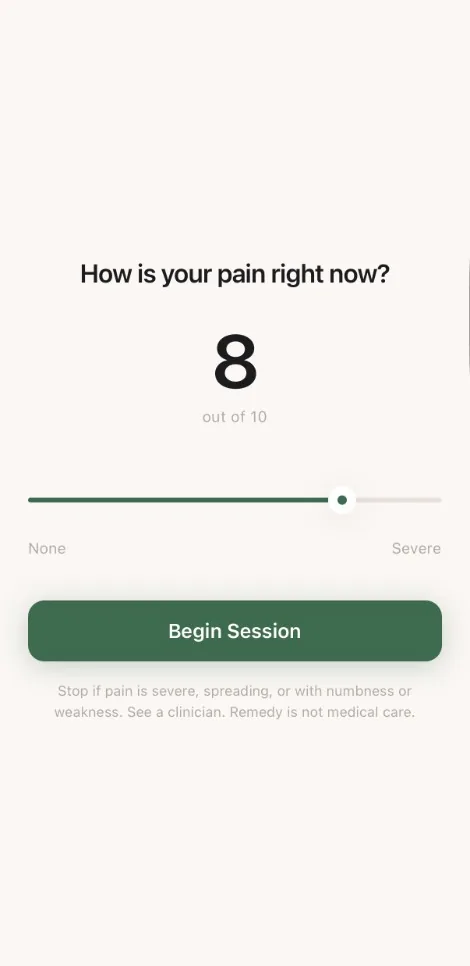
- Rate your pain from 1 to 10.
- Warm up with mobility work.
- Do the main work: stability and strength, with a demonstration video, sets, reps, and a form cue for each exercise.
- Cool down with a recovery stretch.
- Rate your pain again.
4
Watch the trend, not one day
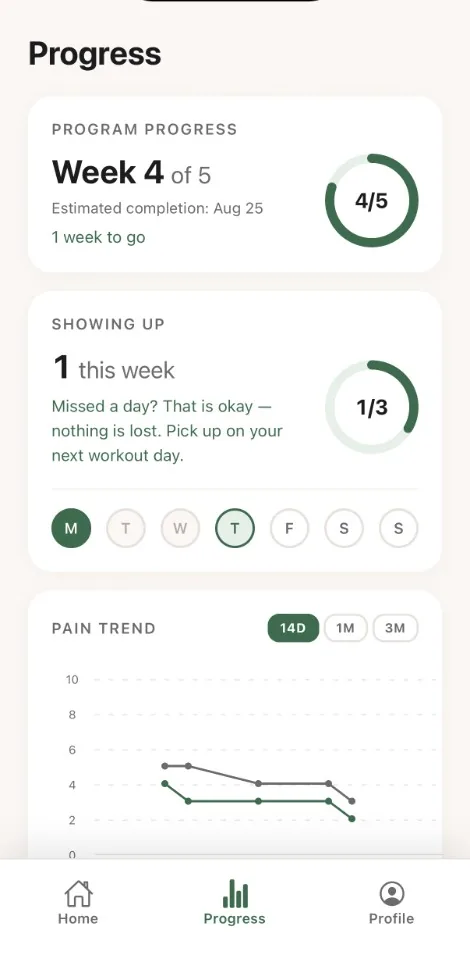
The progress tab shows how far through the program you are, how many sessions you have done this week, and a pain trend over 14 days, a month, or three months. Bad days still happen. The trend is what matters.
5
When the program ends
You choose what is next. Build my next program asks a short check-in (how your pain compares to when you started, how hard it felt, what to focus on, days per week, and equipment) and rebuilds the plan. Level up my current plan keeps the same plan one level harder. A “worse” pain report never raises the level.
What Remedy does not do
Remedy does not diagnose a cause, treat a condition, or replace a physician or physical therapist. Demonstration videos are educational illustrations of movements. If you have warning signs, stop and get medical care.
There is no live coach, no community feed, and no Android app yet. Remedy covers the back only: no neck, shoulder, hip, or knee programs.
Not sure what your back needs yet? Start with exercises for lower back pain or the full set of guides.
Get a back program you can actually keep
Free to download on the App Store. Answer a few questions and your first session is ready in minutes.